Not a rendered effect. Real computer vision.
This is genuine motion-detection and multi-object tracking, actually run against real footage — not stock video, not an AI-generated animation. It's a technical capability demonstration, not a product we currently sell, showing the kind of perception and tracking systems that underpin real-world AI automation.
OBJ-### ID, alongside a live object-count readout top-left. Silent, 24-second loop.An engineering showcase, not a listed feature.
- Every box is a real tracked object, frame by frame — not a canned overlay
- Built on OpenCV background-subtraction and centroid tracking
- Persistent IDs hold as each object moves across the frame
- Demonstrates the perception layer that would underpin a future computer-vision product
Why it's here: this Solutions entry exists to be honest about where West Hills AI actually stands on computer vision — real engineering capability, no sellable product yet. If your business has a concrete use case, talk to us; it would be scoped as a custom build.
Four layers, one pass.
Scroll to pull the pipeline apart. Each pane is a real stage of the same run over this footage — the raw frame, what moved, what that resolved into, and what held an identity across frames.
- 01SensorThe original aerial footage at 24 frames per second.
- 02MotionChanges between frames reveal what is moving.
- 03DetectionOutlines mark moving areas large enough to track.
- 04TrackingAn ID follows each tracked object from frame to frame.
The tracker assigned 69 IDs over 10 seconds and followed up to 10 objects at once. The boxes and outlines come from this clip's tracking data. You can view the data yourself.
The boxes are data, not painted onto the frame.
Three untouched stills from the same aerial footage, put through the same pipeline — nothing is drawn on the images themselves (they're the wider 16:9 crop, where the loop above is the 9:16 export). Every box, ID, and centroid dot below is rendered in your browser from the tracker's own coordinate output for those exact frames. Turn the overlay off and the clean plate is still there.
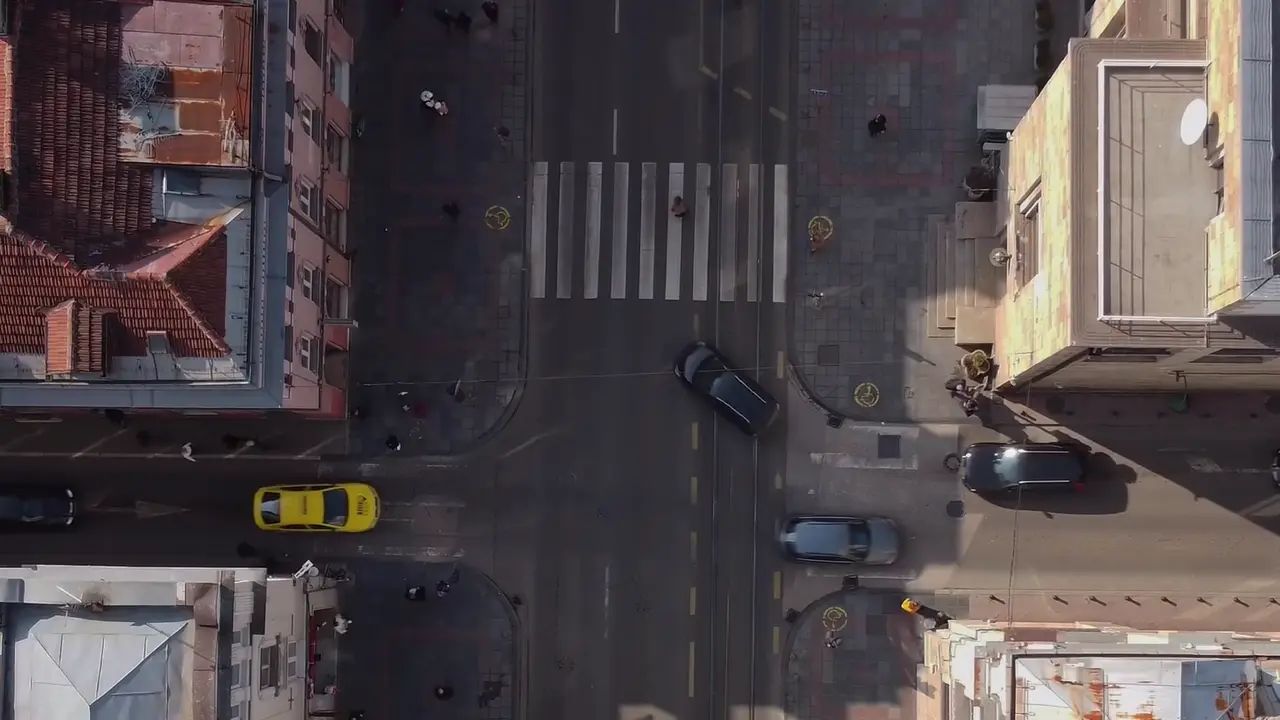
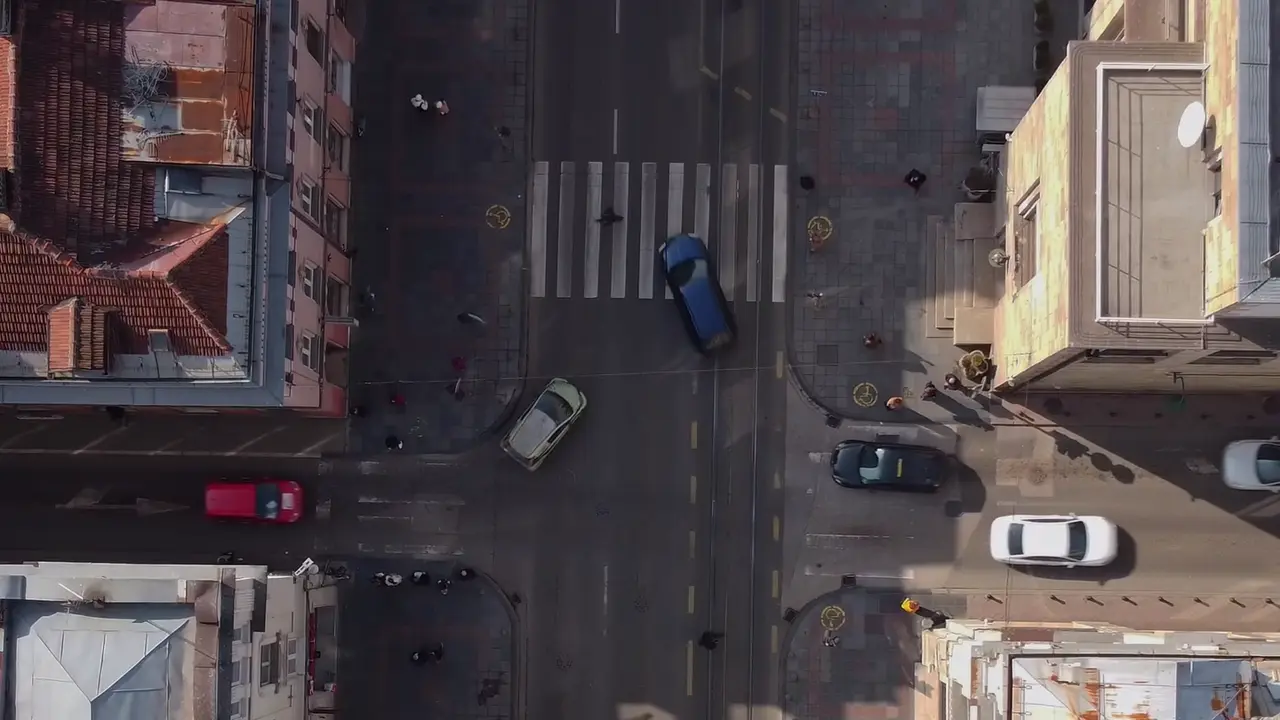
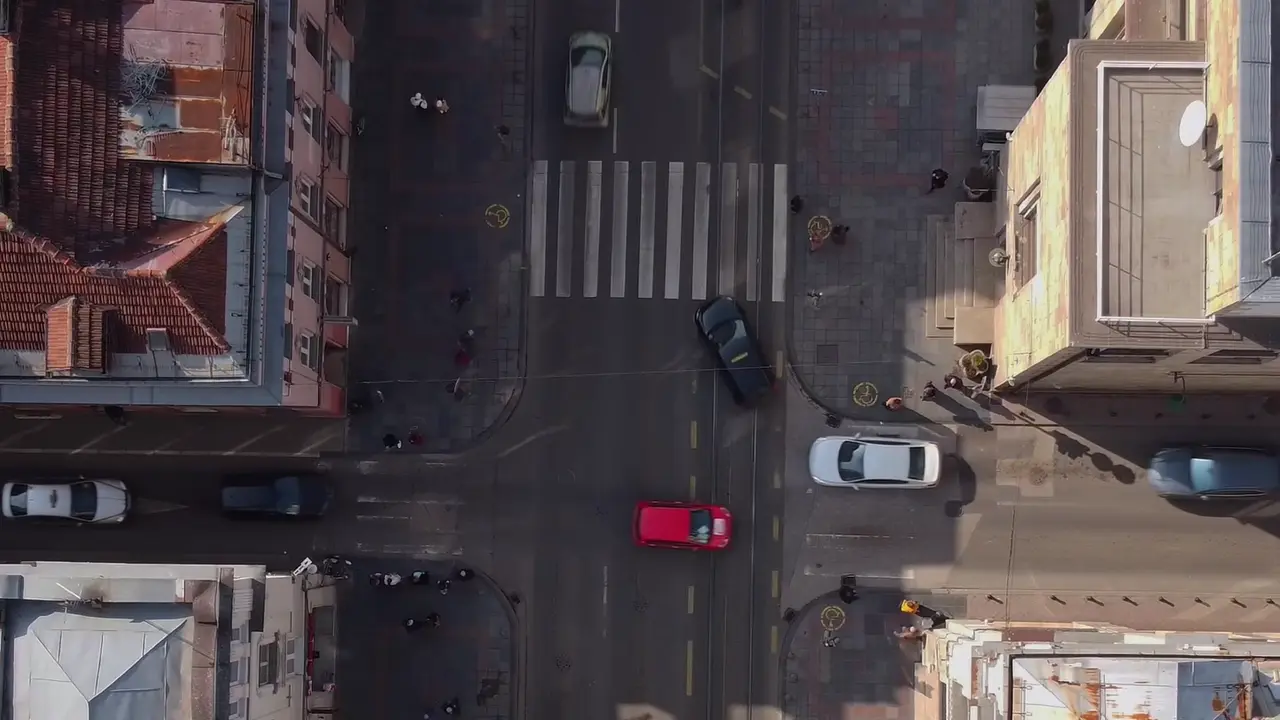
Coordinates come straight from the OpenCV MOG2 background-subtraction and centroid-tracking pass, stored as fractions of the 16:9 crop — read the raw file at vision-tracks.json. Note OBJ-068 keeps its ID between frames 280 and 340 as it crosses the intersection; that persistence is the tracking half of the job, separate from the per-frame detection half.
Curious what this could become for your business?
There's no packaged computer-vision product today — but if you have a concrete use case, we'll tell you honestly whether it's buildable.